
How it works
Every step between you and protected.
One question per screen. One big button. A speaker if you would rather listen. Here is the whole journey in the order you will see it on your phone, with the real screens.
Getting covered
Thirteen small steps. Your price shown before you agree to anything.
-
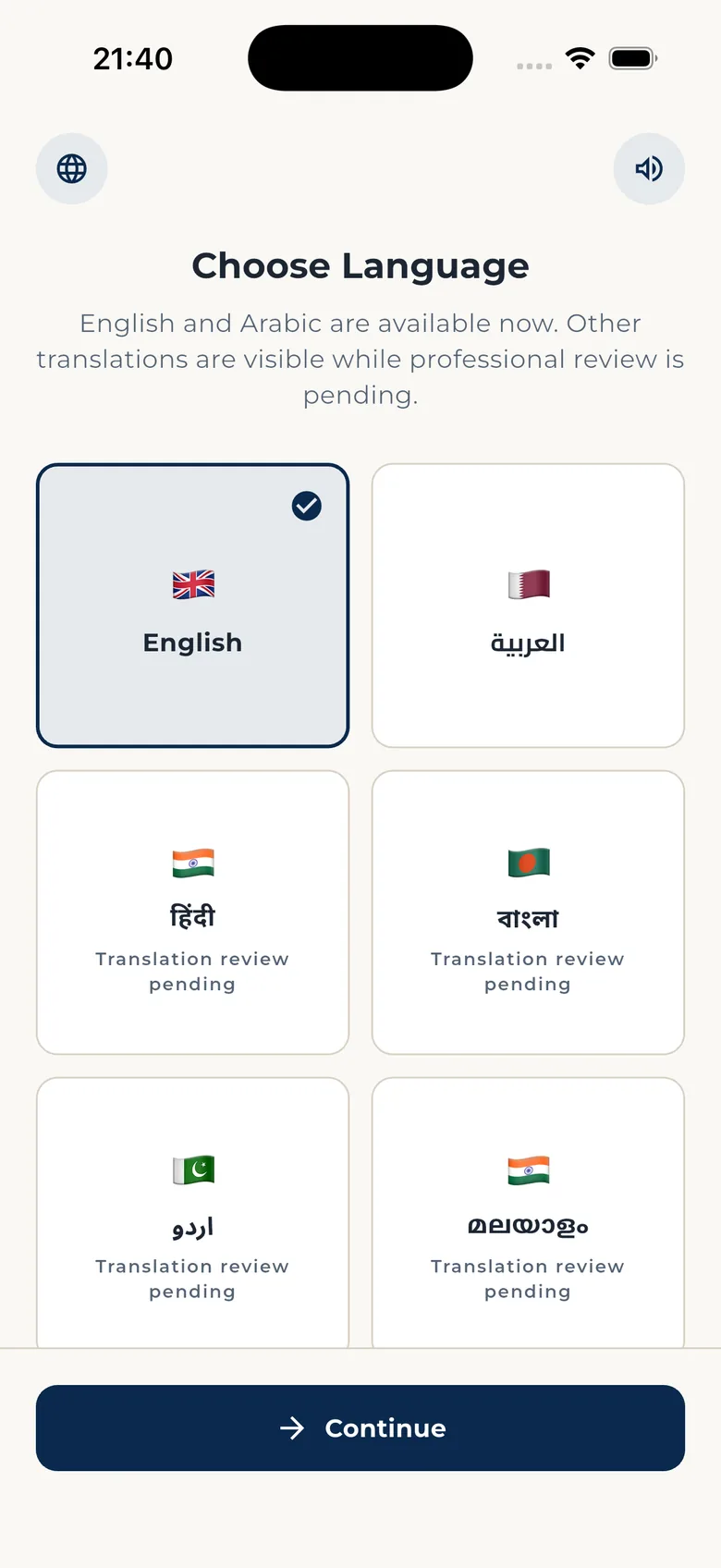
Choose your language
English and Arabic are ready now, with more languages on the way. Tap the speaker on any screen and the app reads it to you.
-
See what Amaan is, in three short screens
Cover you can understand. Everything in one place after sign-in. A secure path for your family if a claim is ever needed. You can skip straight to sign-in.
See the cover available to you and its exact price before you agree.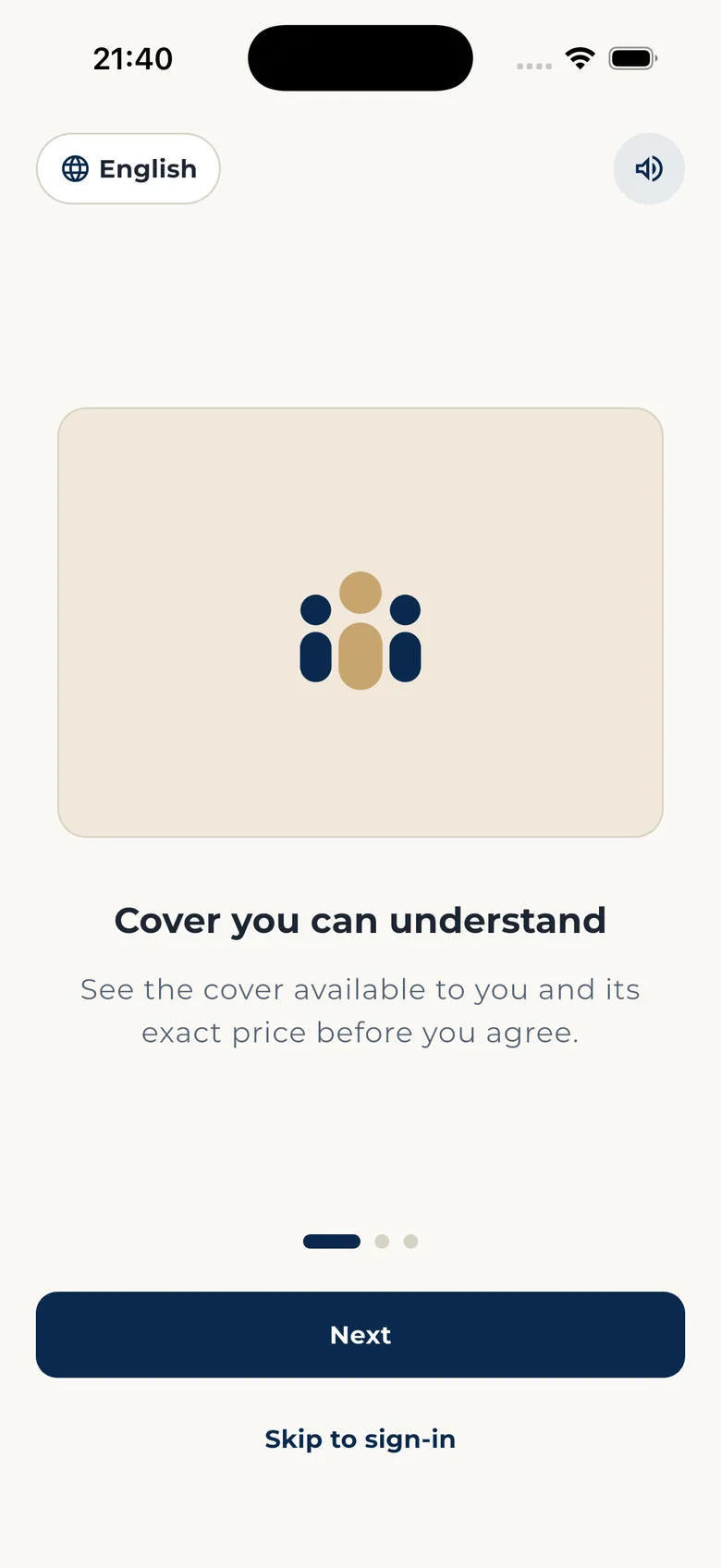
-
Sign in with your phone number
Type your number. We send a 6-digit code by SMS to prove it is you. No email address and no password to remember. If you ever lose your number, there is a secure way to recover your account.
We use your phone number to send sign-in codes and protect access to your account. Secure sign-in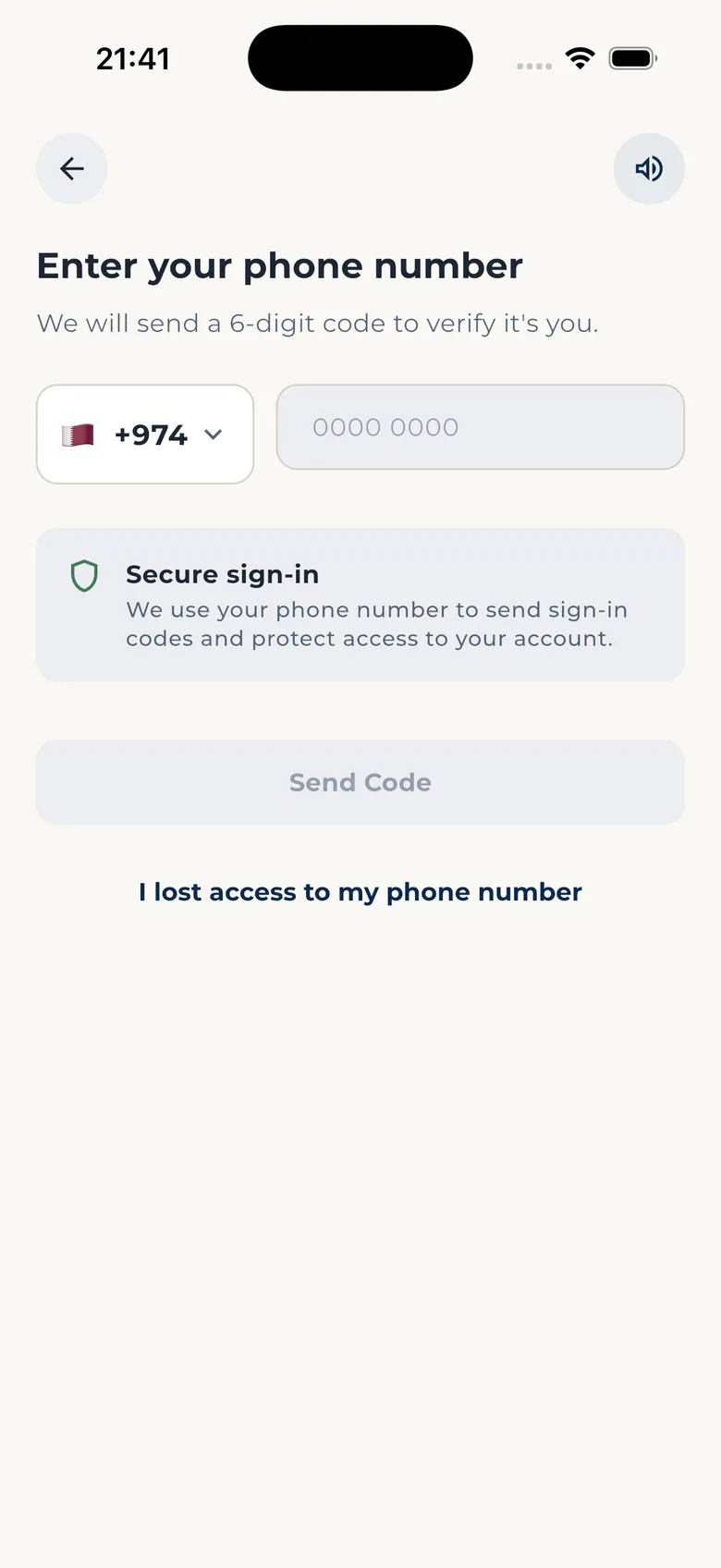
-
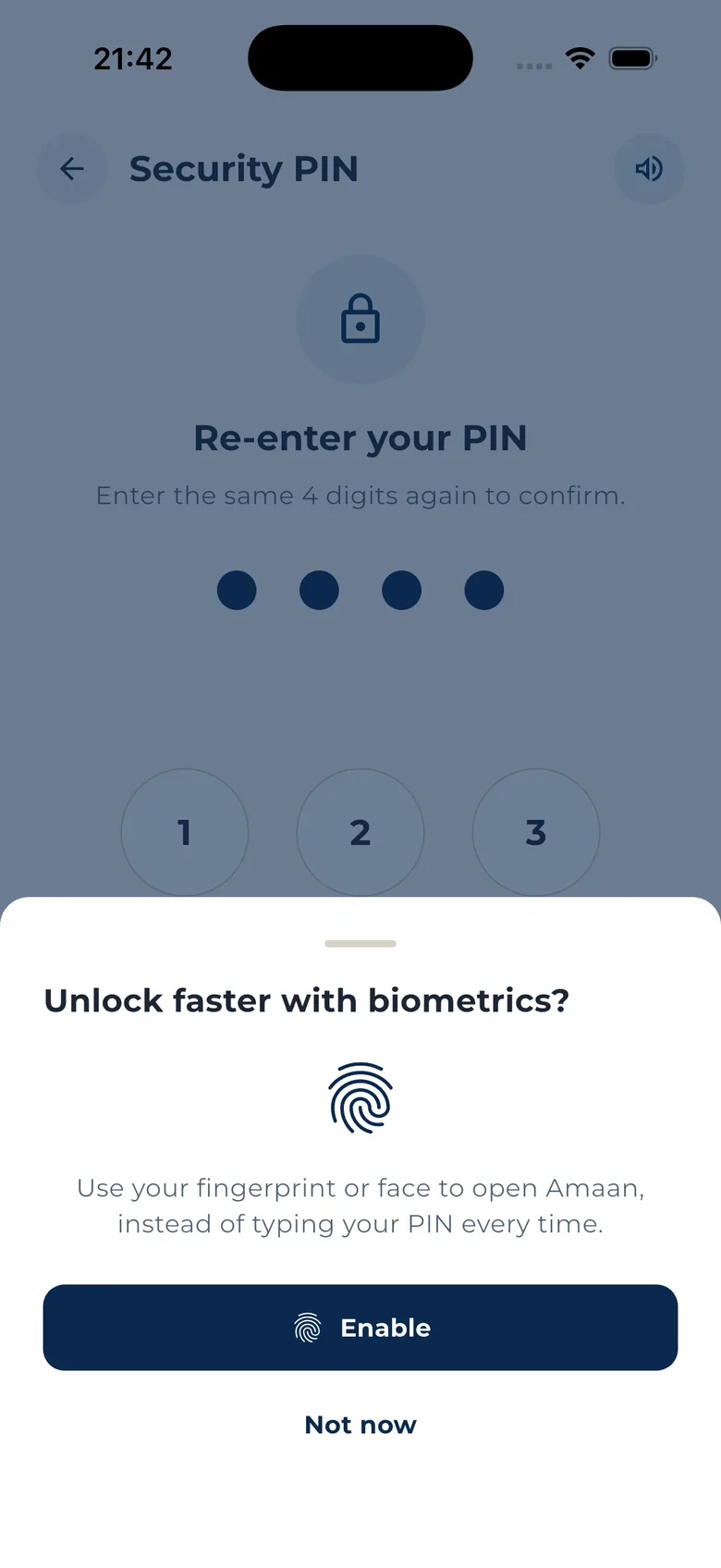
Create your 4-digit PIN
Your PIN opens the app and confirms every payment. Nobody who picks up your phone can see your cover or move your money. If your phone has fingerprint or face unlock, you can use that too. It is optional.
This PIN keeps your insurance and payment details safe if someone takes your phone.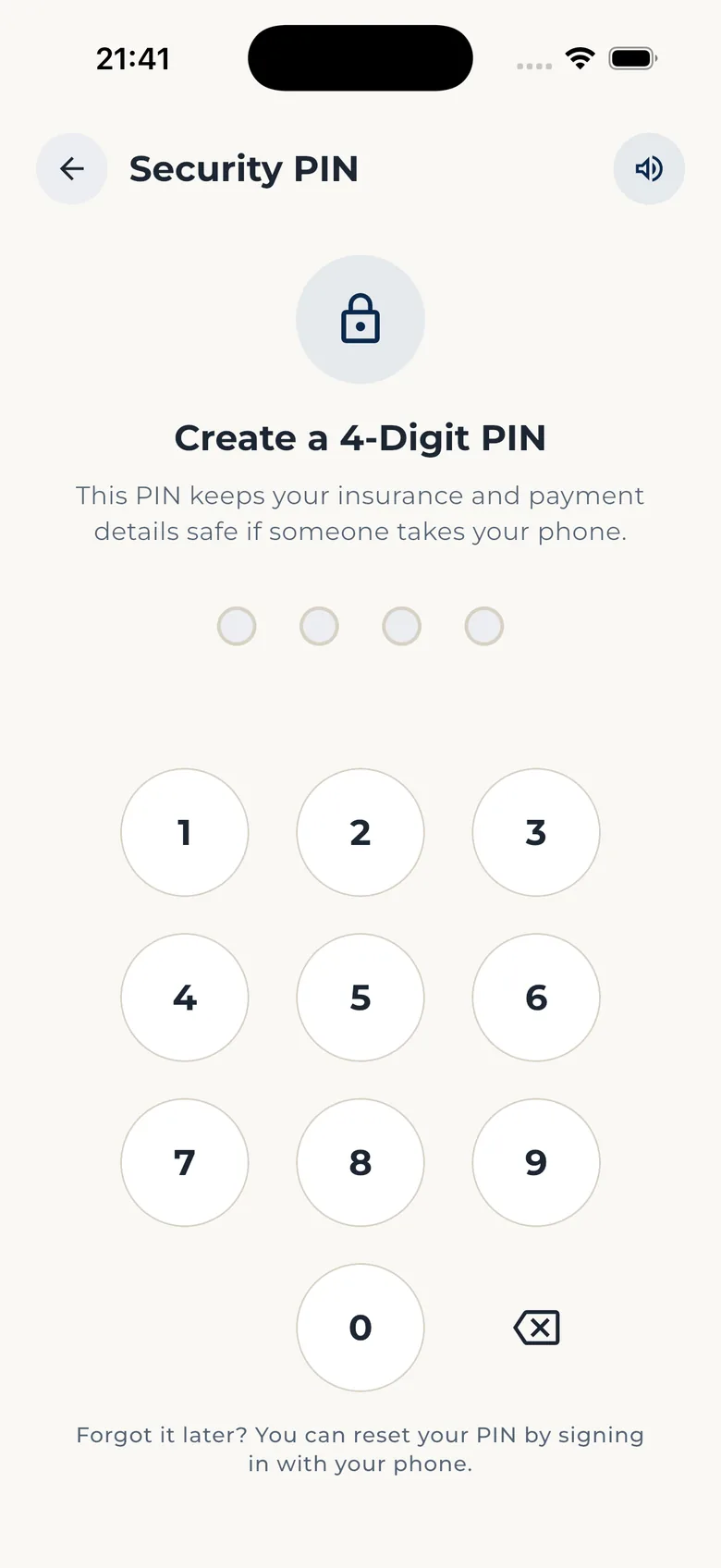
-
Understand the plan before any questions
The first screen of your application explains the plan. One plan, two benefits: for your family if you die while covered, for you if you reach the end date. You do not have to choose between them.
Your Amaan plan includes a family benefit and a retirement benefit. You do not need to choose.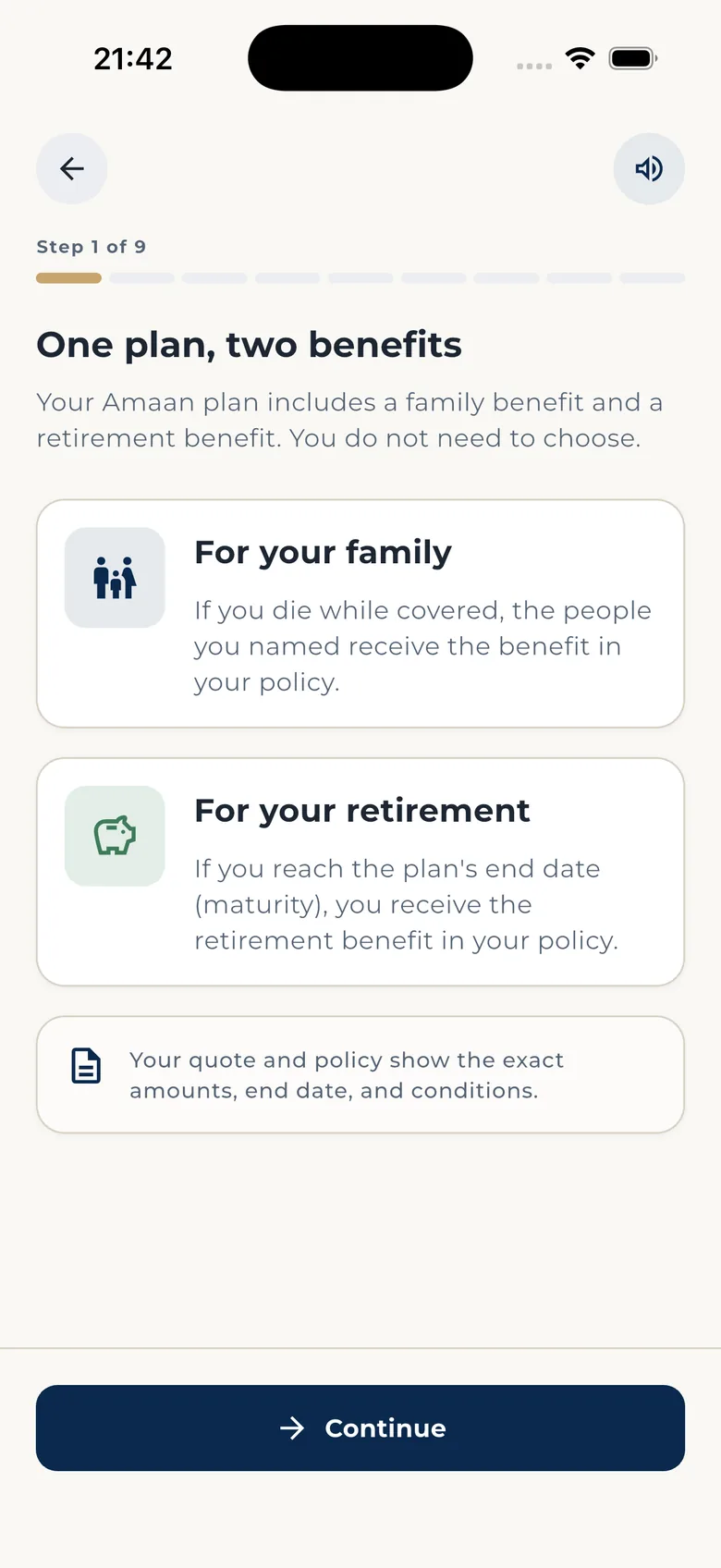
-
Tell us a little about you
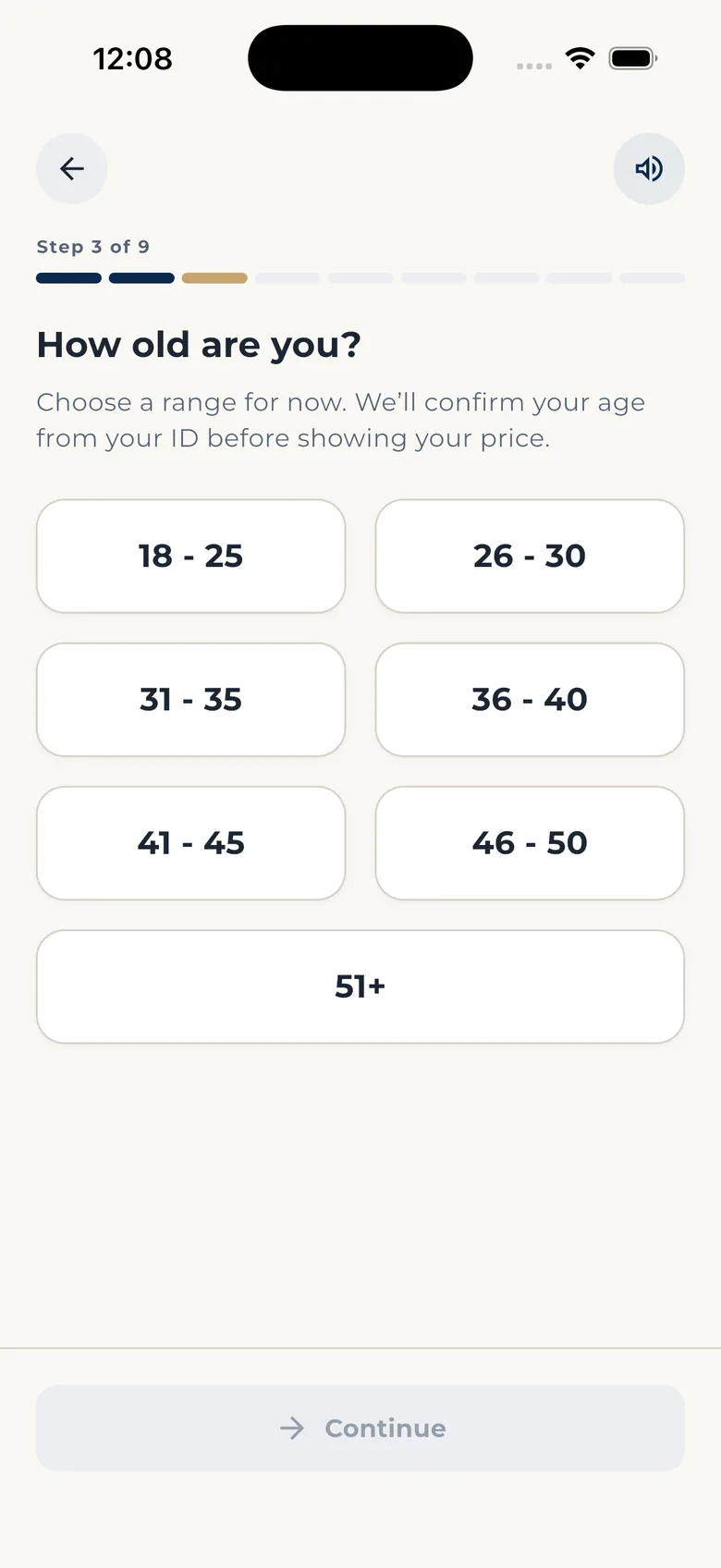
Male or female, then your age range. One tap each, big tiles, always a way back. The range is only a start: your price comes from your real age on your ID, not from a guess.
Choose a range for now. We'll confirm your age from your ID before showing your price.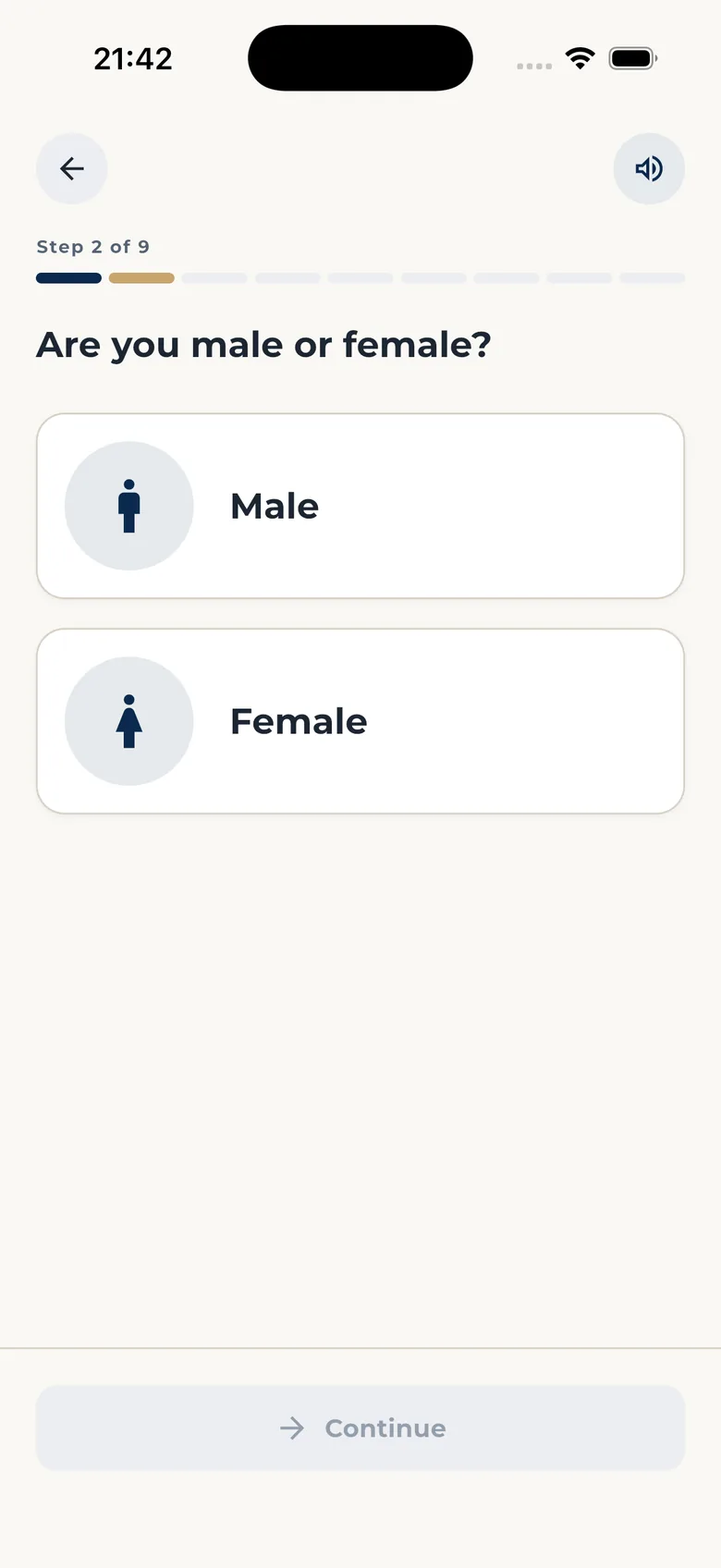
-
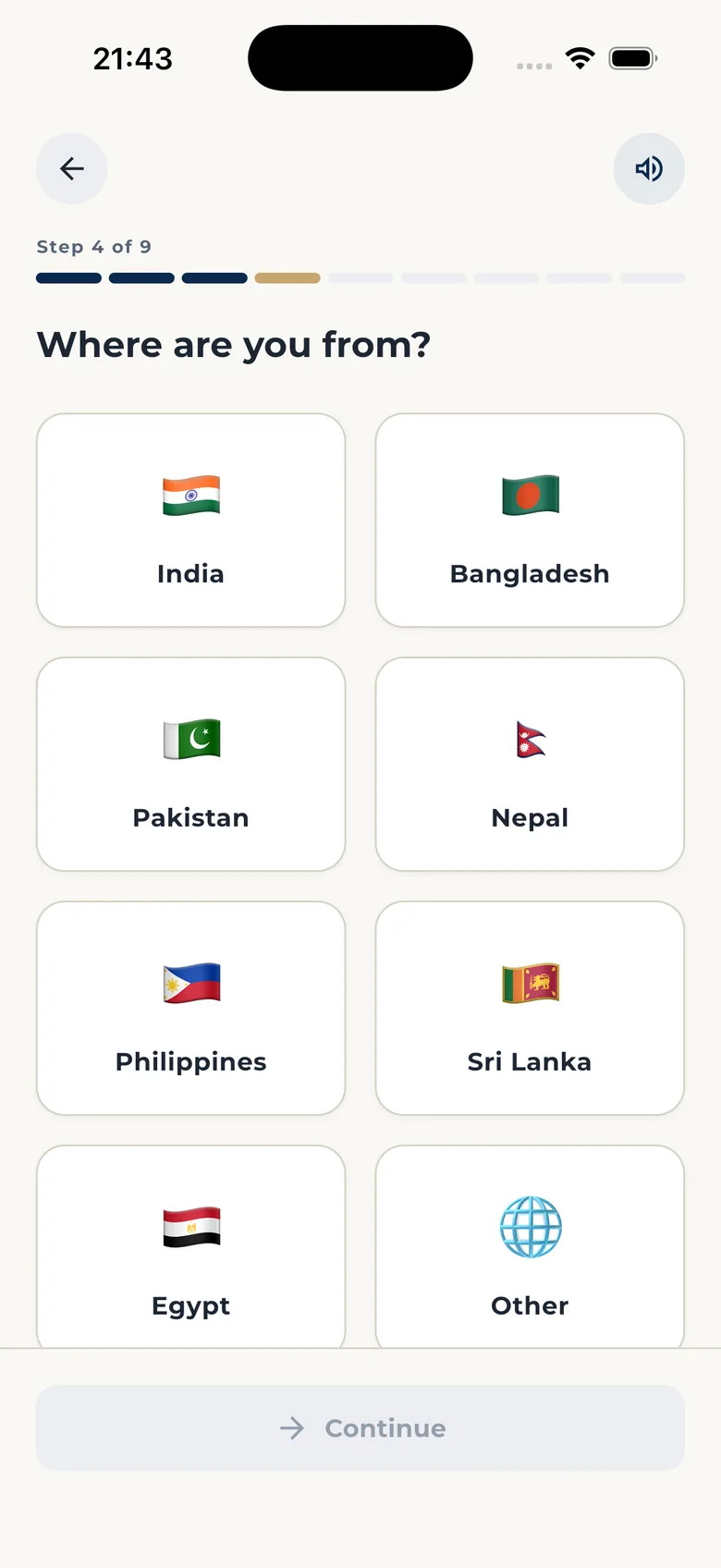
Where you are from, and what you do
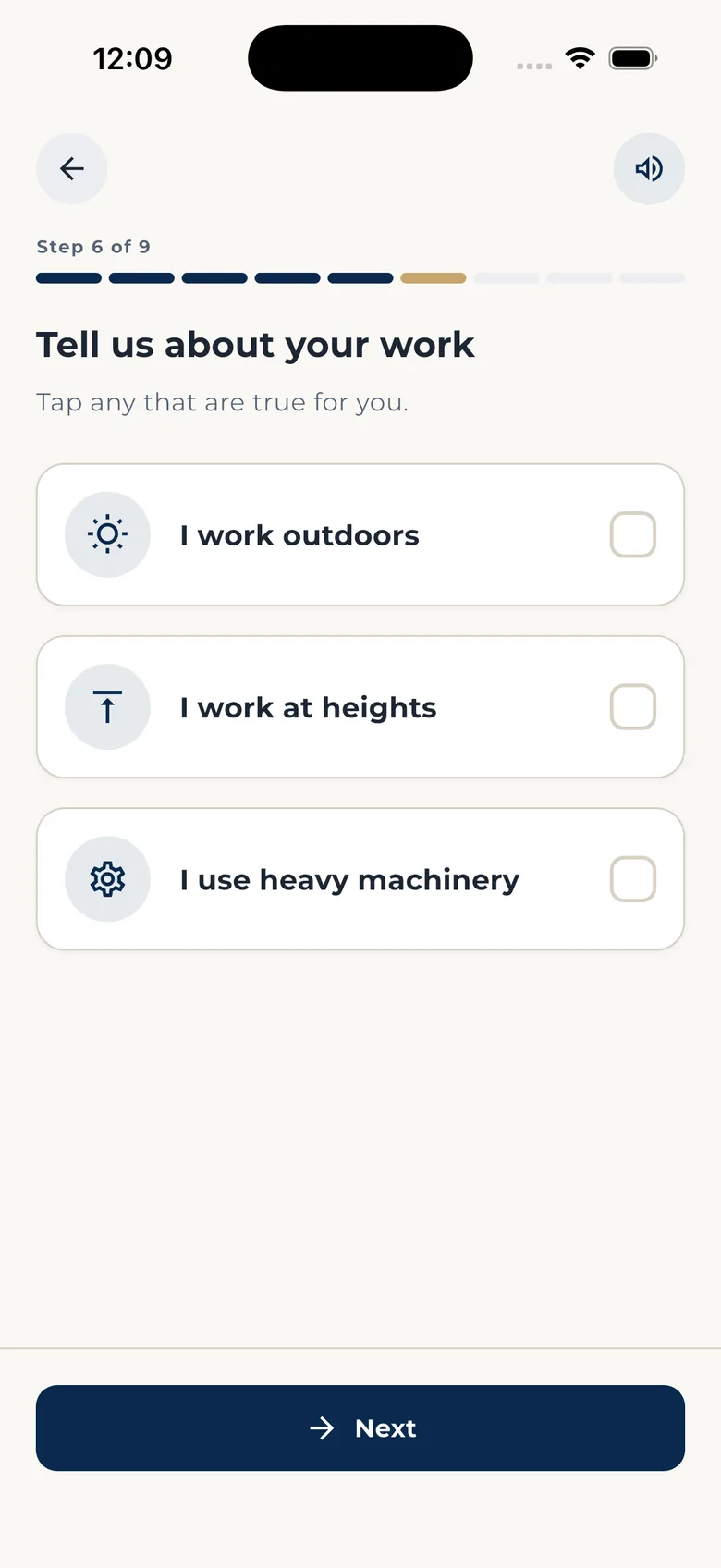
Your country, your job, and anything true about your work: outdoors, at heights, with heavy machinery. Tap what applies. These answers help us understand you. They do not change your price.
Tap any that are true for you.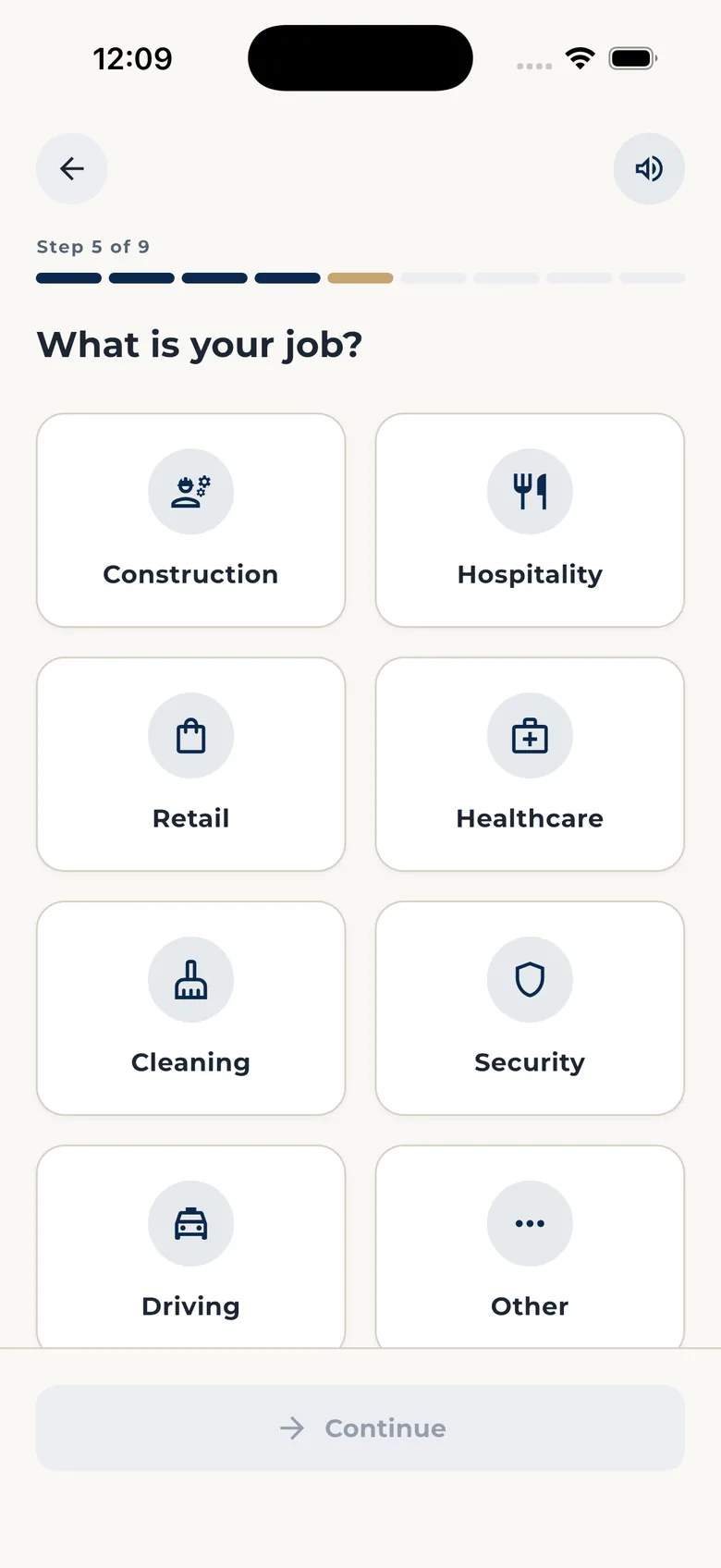
-
Show your ID
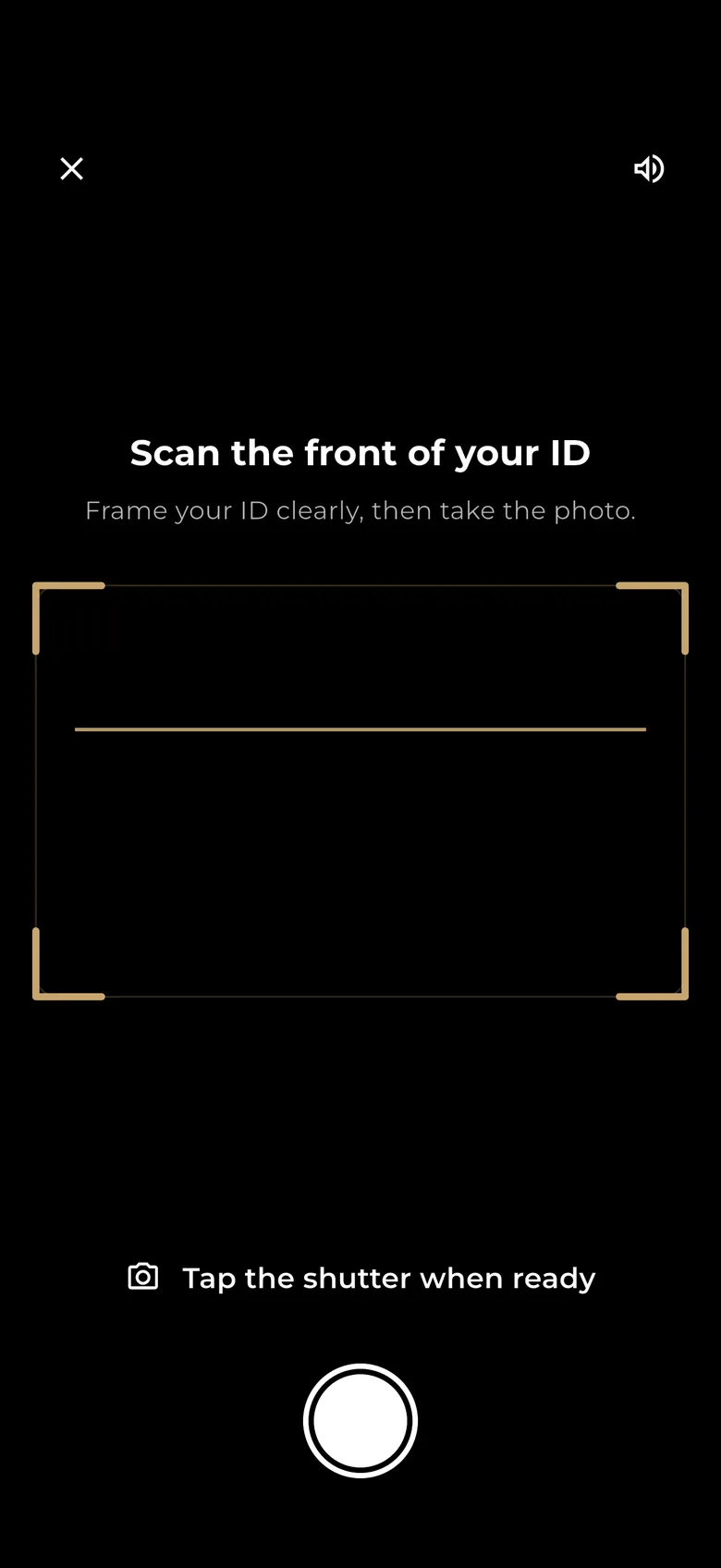
Choose Qatar ID or passport, then scan the front. Gold guides show you exactly where to hold it. Your ID confirms your age, and your age sets your price.
Your ID photos are used to check it is you, then deleted. Identity check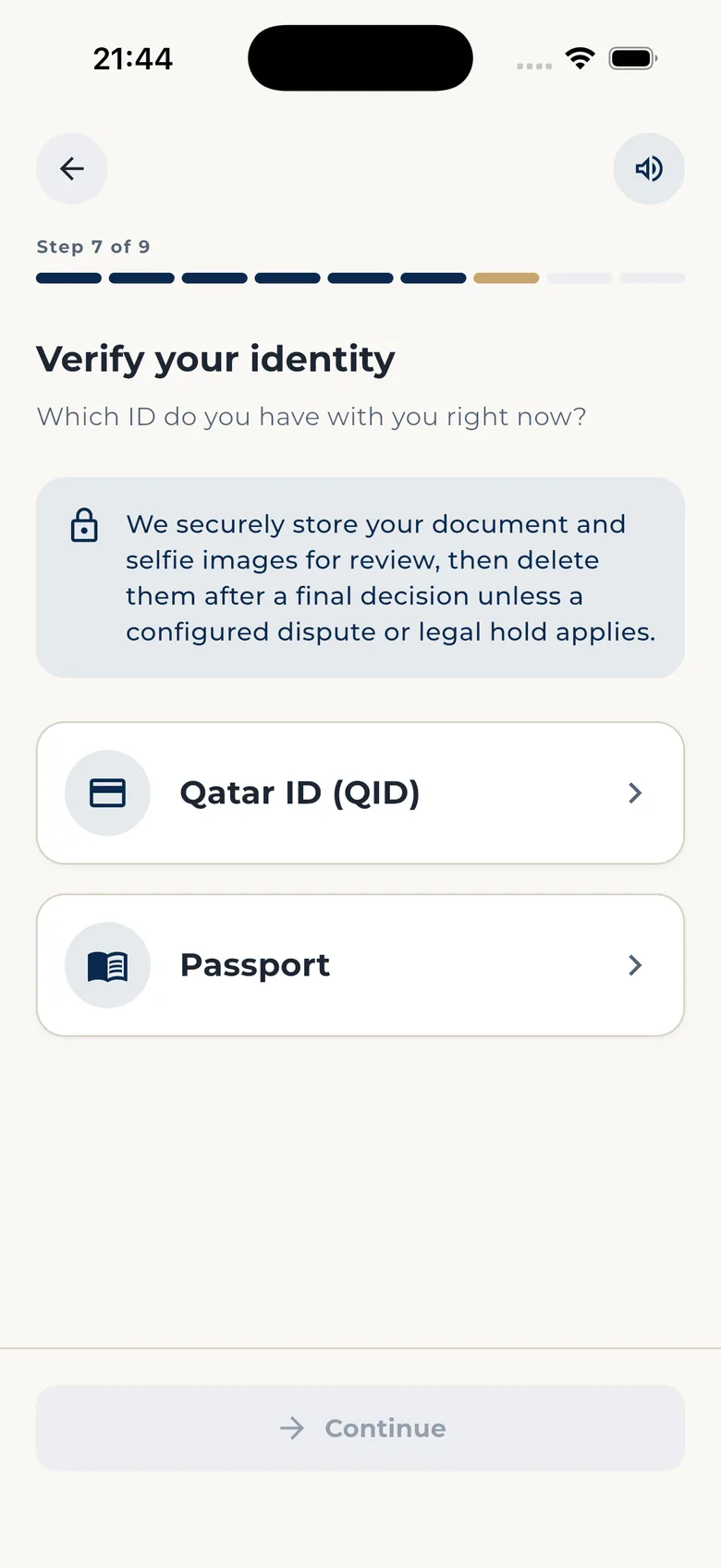
-
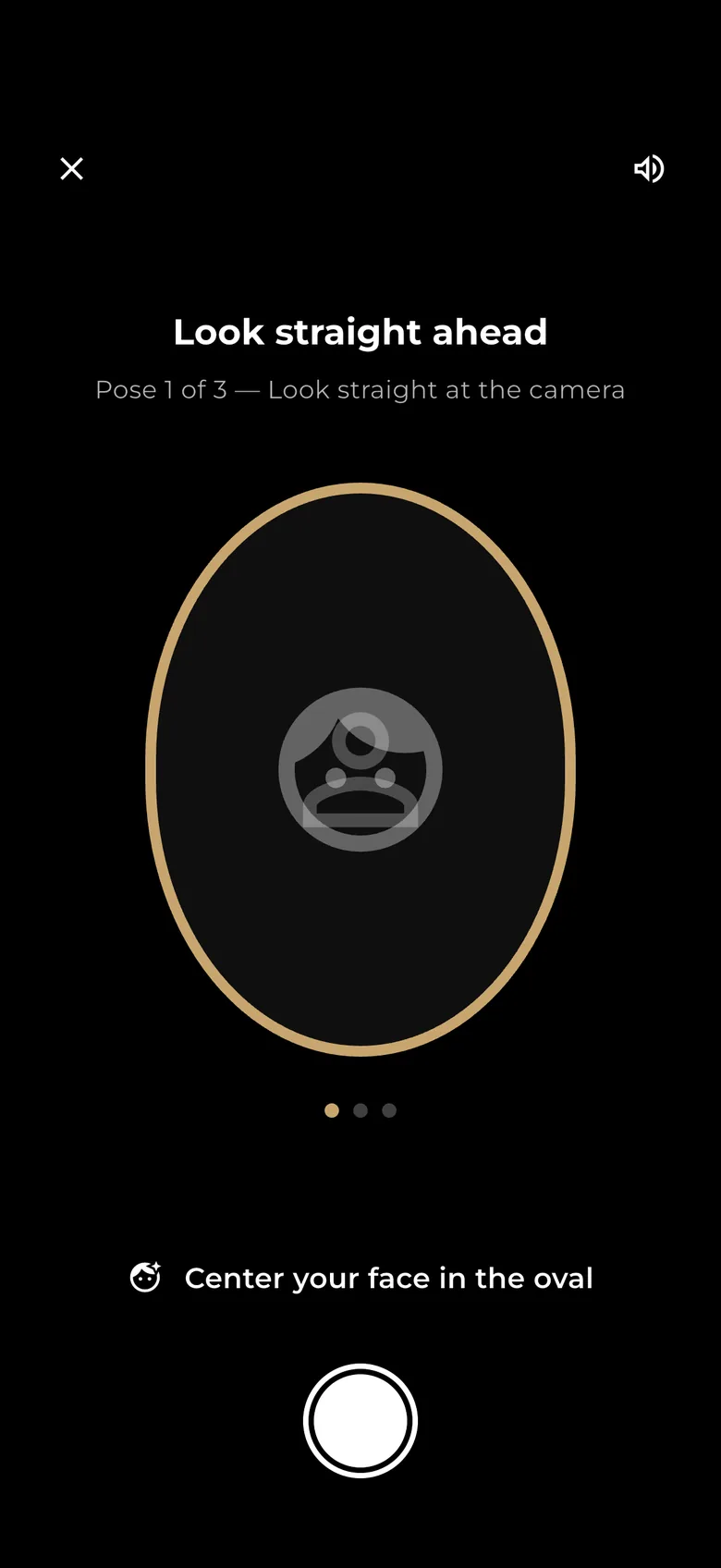
Take three quick selfies
Look straight, then left, then right, so your face can be matched to your ID. Find good light, take off glasses, hold the phone at eye level. Then a person checks it and the app tells you when you are approved.
We'll capture three angles so we can match your face to your ID.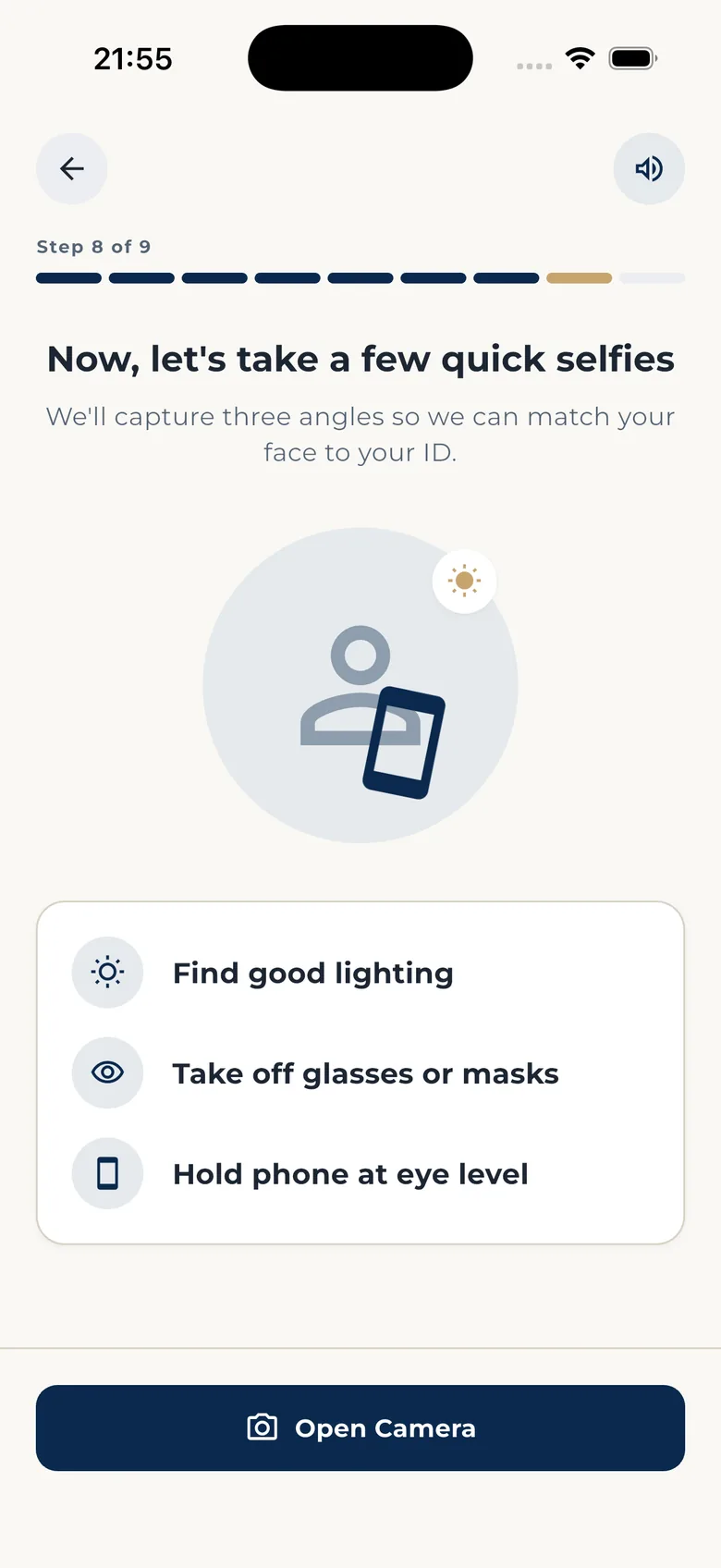
-
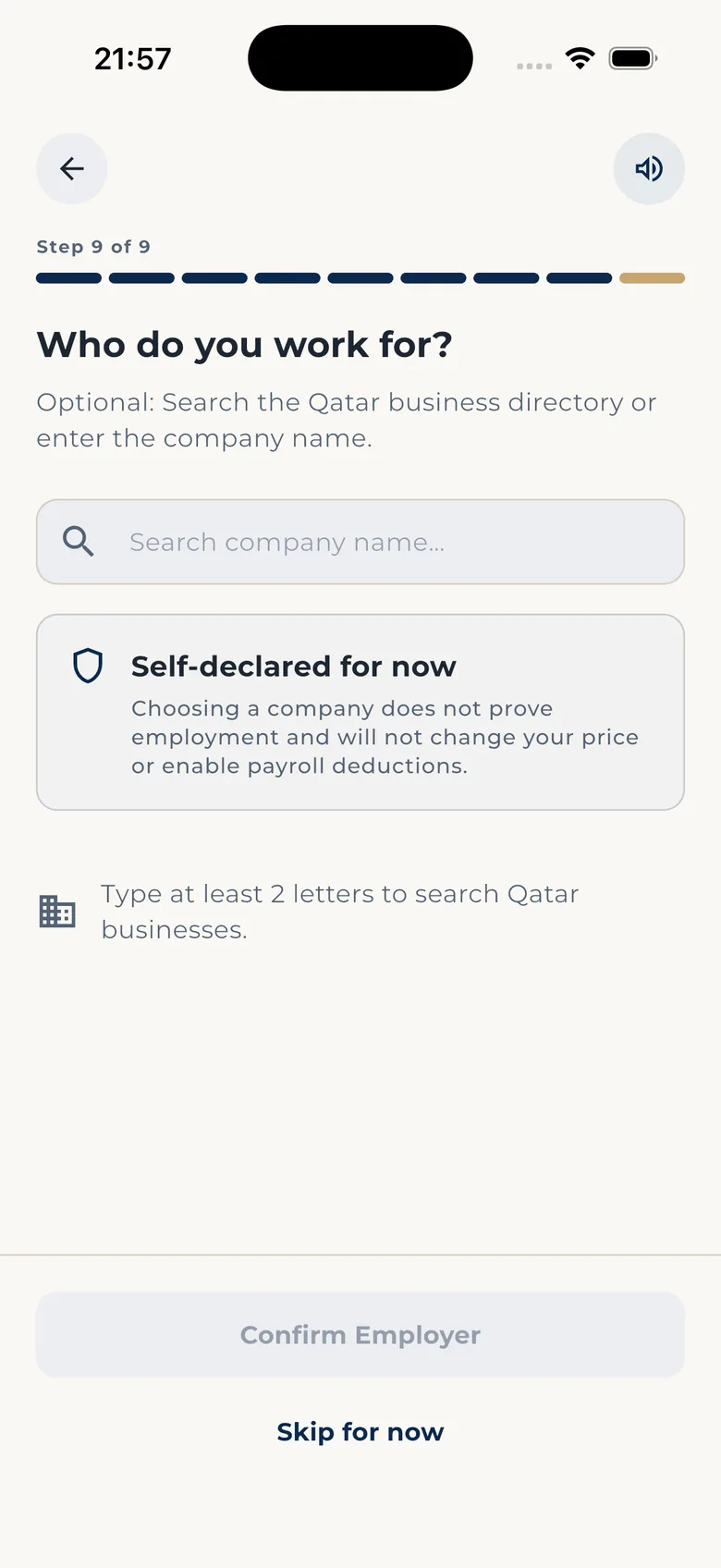
Say who you work for (optional)
Tell us who you work for, or skip it. Salary deduction only ever starts through your employer, and only with your OK.
-
See your exact price
Once your ID is approved, the app shows your quote: the monthly amount, the family benefit, the retirement benefit, your end date and the conditions, all on one screen. If it does not fit your salary, you stop here. Nothing is charged.
Price uses your age, confirmed from your approved ID. Price before promise -
Read the rules, agree and sign
The coverage rules are shown in full and can be read aloud to you. You tick that you understand, then sign with your finger. The exact version you agreed to stays attached to your policy for good. Later changes to the product never rewrite what you bought.
Read these coverage rules carefully before you agree. -
You are protected
Your home screen shows PROTECTED · ACTIVE, both benefits, the people you named and the current payment cycle. You review each payment and confirm it with your PIN. Every settled payment gets a receipt in your document vault.
You and your family are now protected. Active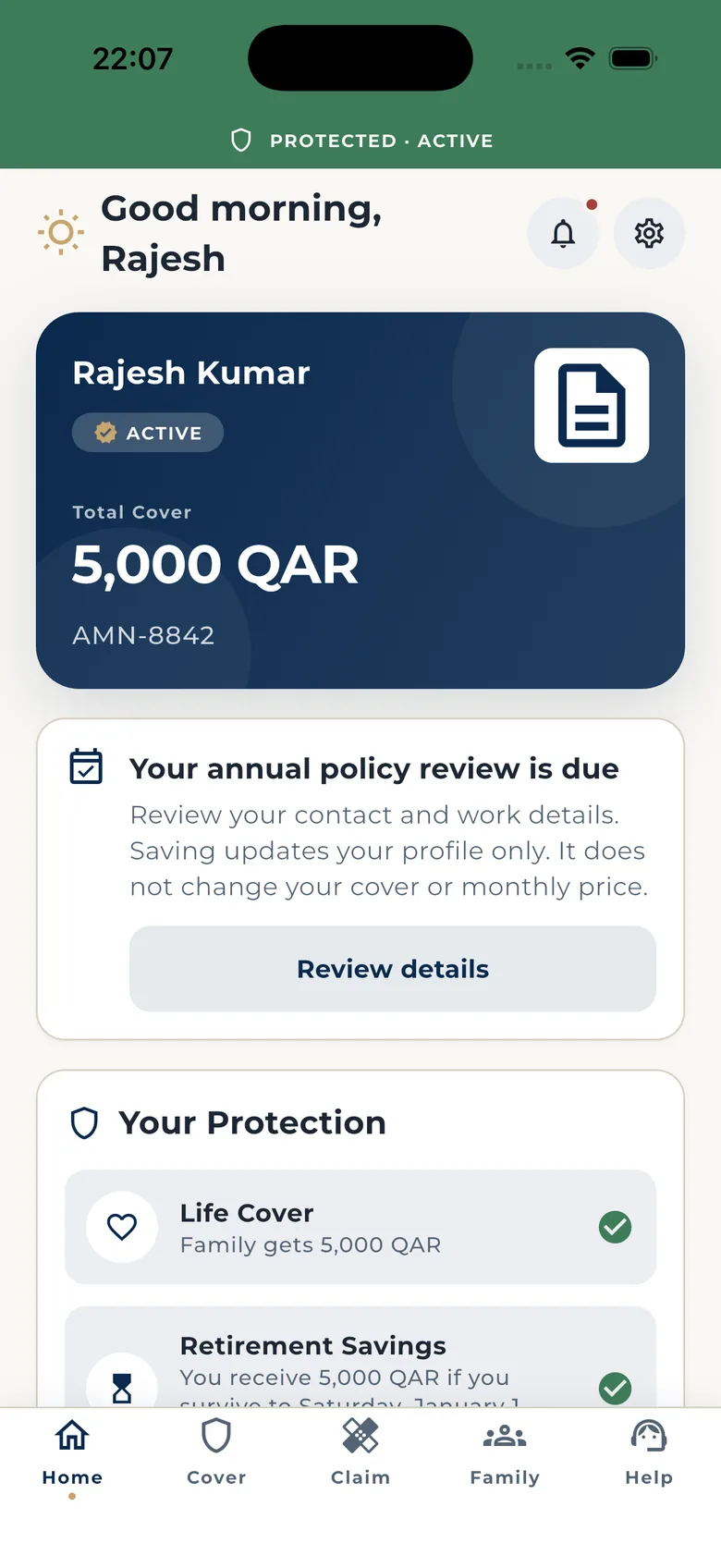
After you are covered
Everything about your cover lives on your phone.
Your status, your payments, your family and your help, all in the same app. No office, no paperwork, no waiting for someone to call you back with an answer.
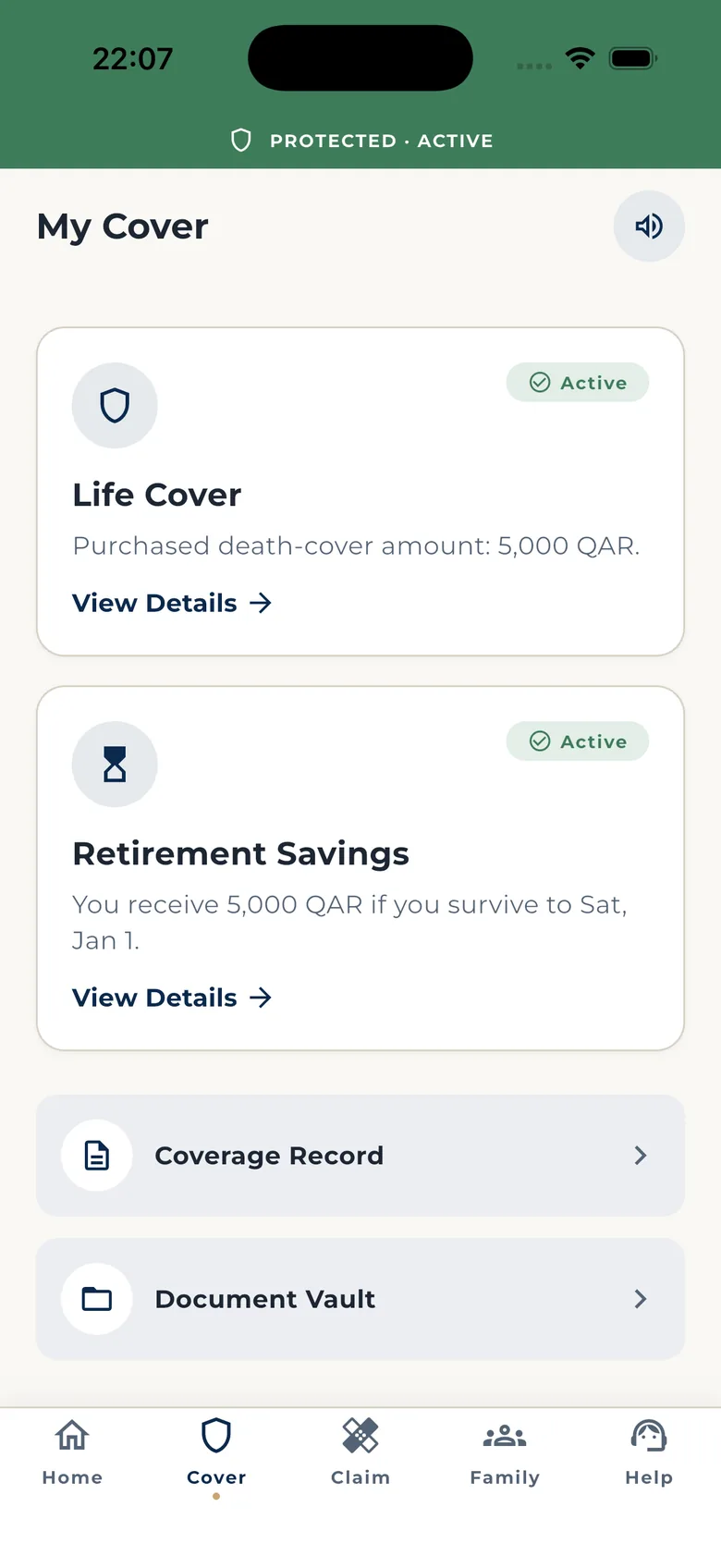
Your cover
Both benefits, your coverage record and your document vault with every receipt.
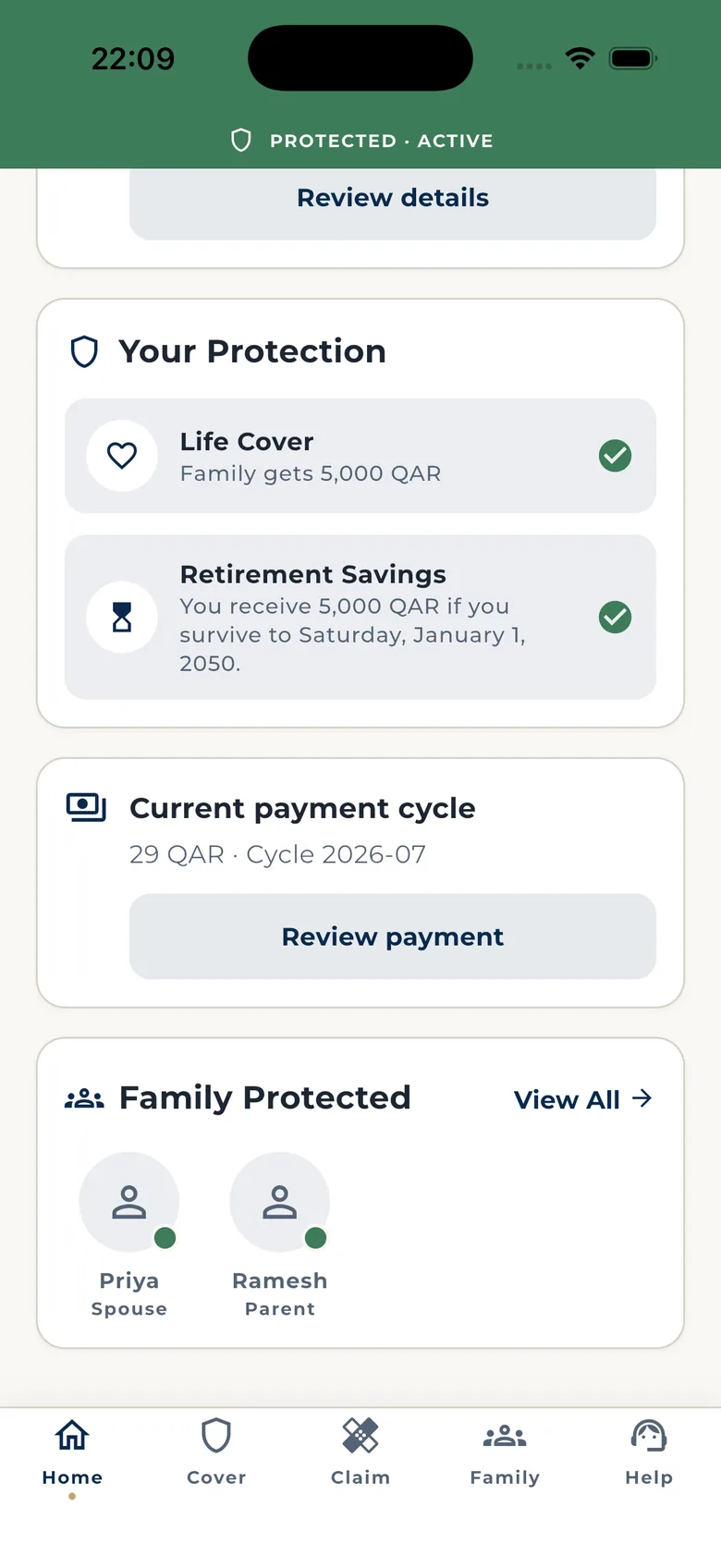
Your payments
See the exact amount for this cycle, review it, confirm with your PIN. Salary deductions show as up to date, pending or missed.
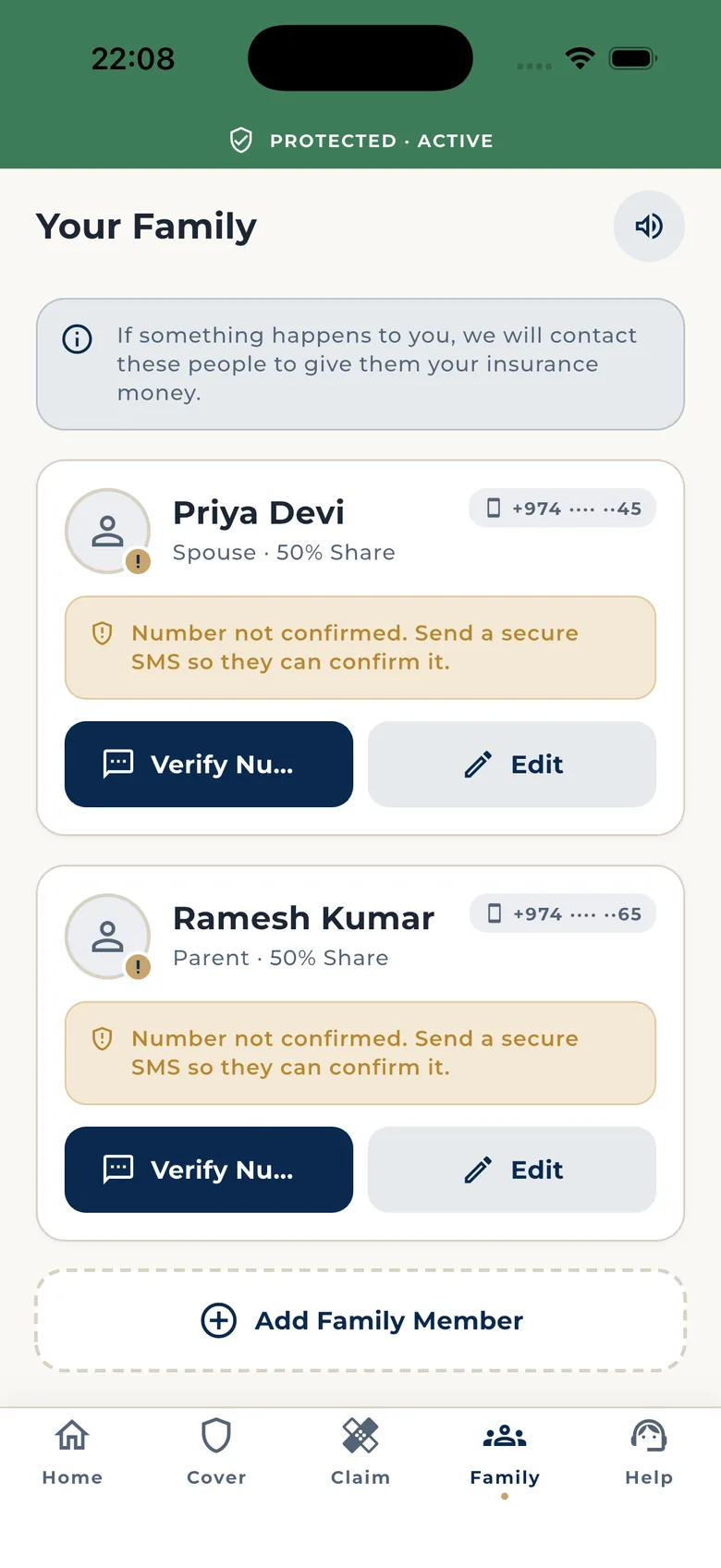
Your family
Add or change the people you named, their share, and the phone number a claim invitation goes to.
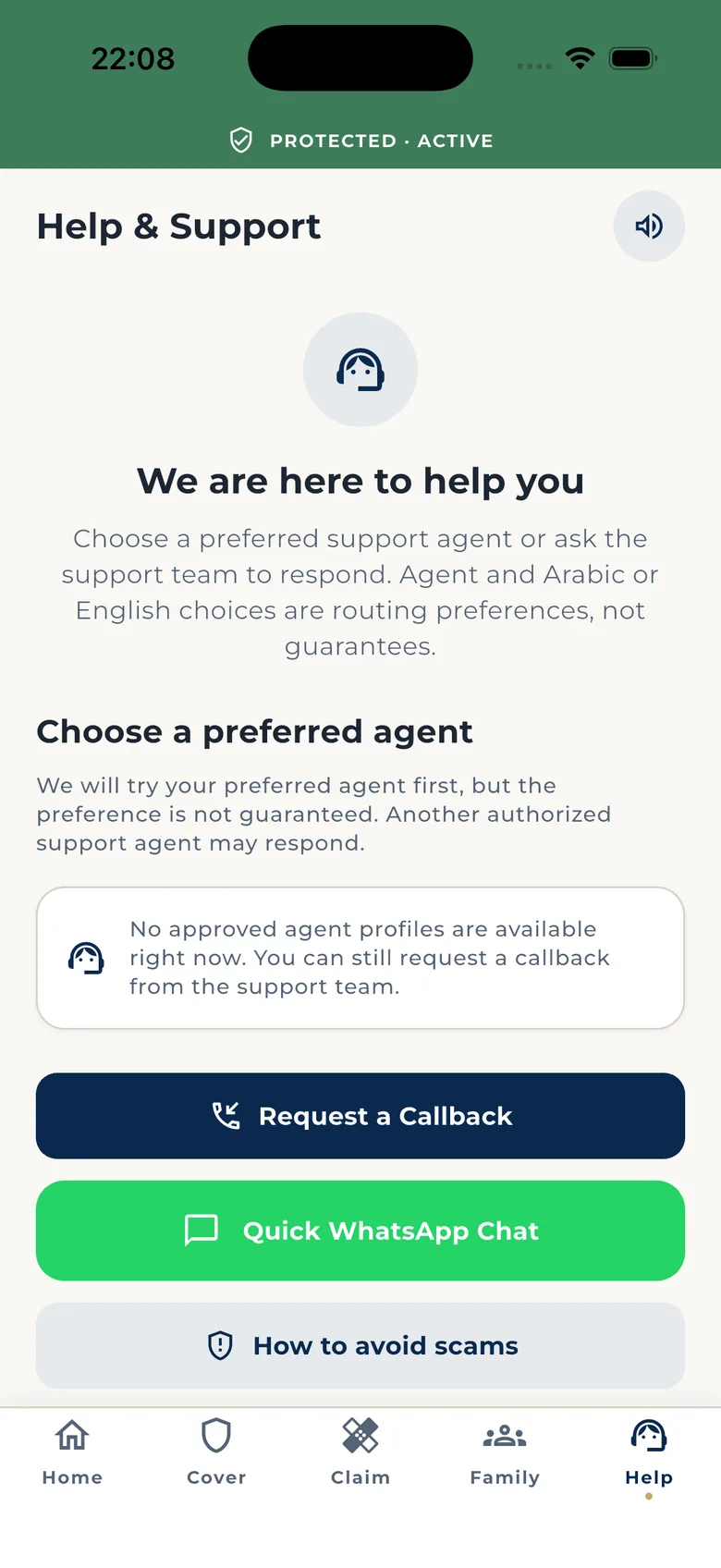
Your help
Request a callback in English or Arabic. Callbacks come to the verified number on your account.
If a claim is ever needed
Your family follows a private path from their own phone.
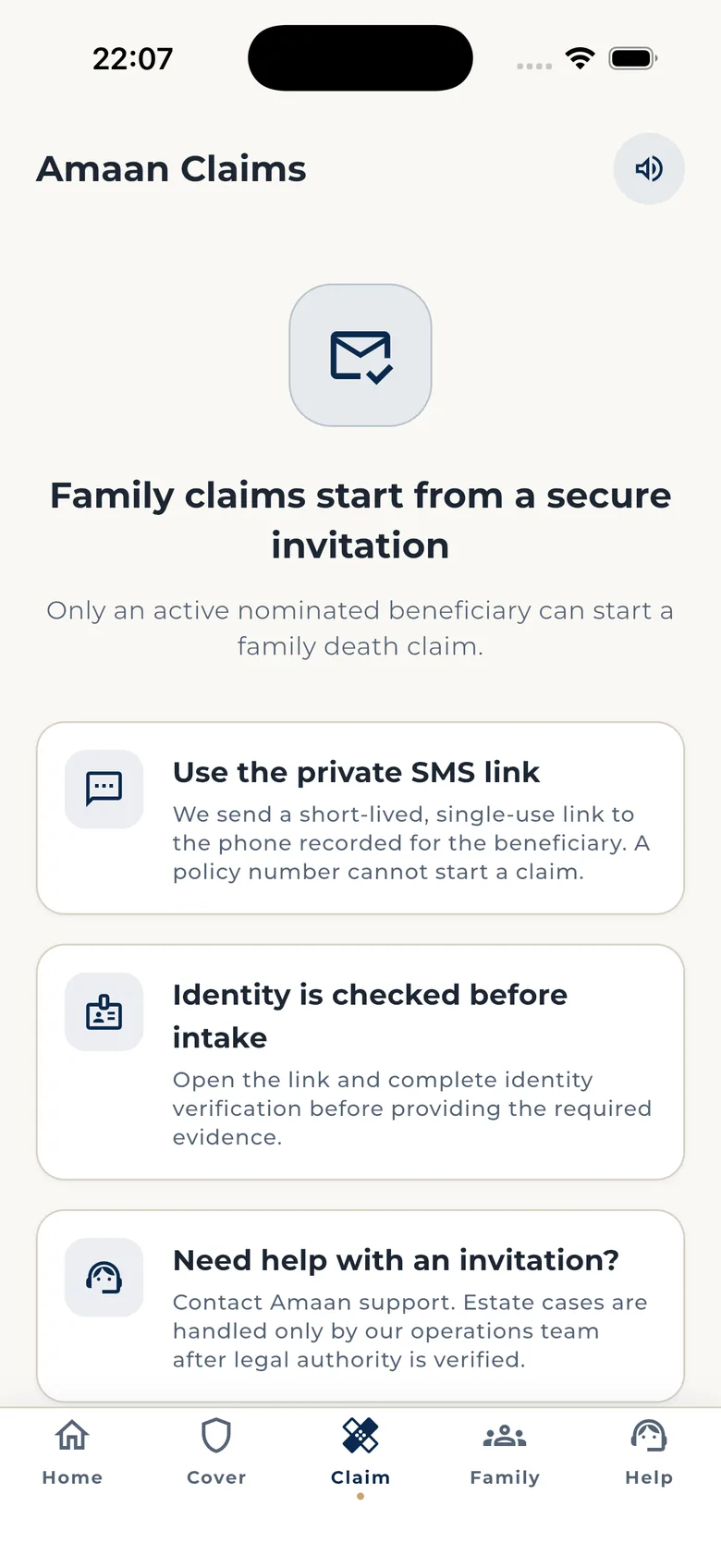
A family claim does not start from a policy number. It starts from a private invitation sent to the person you named, so nobody can pretend to be your family, and your family never has to find an office.
They get a private link
A one-time SMS link goes to the phone number you recorded for them. It works once and it expires.
They prove who they are
They open the link and confirm their identity before anything else is asked.
They upload the documents
From their phone, in English or Arabic. No office visit.
They can see where it is
Submitted, reviewing, approved, paid, or a clear reason if something is missing.
If you reach your end date instead, you claim your retirement benefit yourself, from the app. We check it is you, then you are paid.
Want Amaan on your phone?
Tell us, and we will contact you from an official Amaan channel when it is available for you. We never ask for a code or a PIN.